Never forget —
and keep what you'll
want to remember.
Loomday counts down to every birthday, anniversary and holiday. Then it keeps a photo and a few words for each year — so a reminder becomes a keepsake.
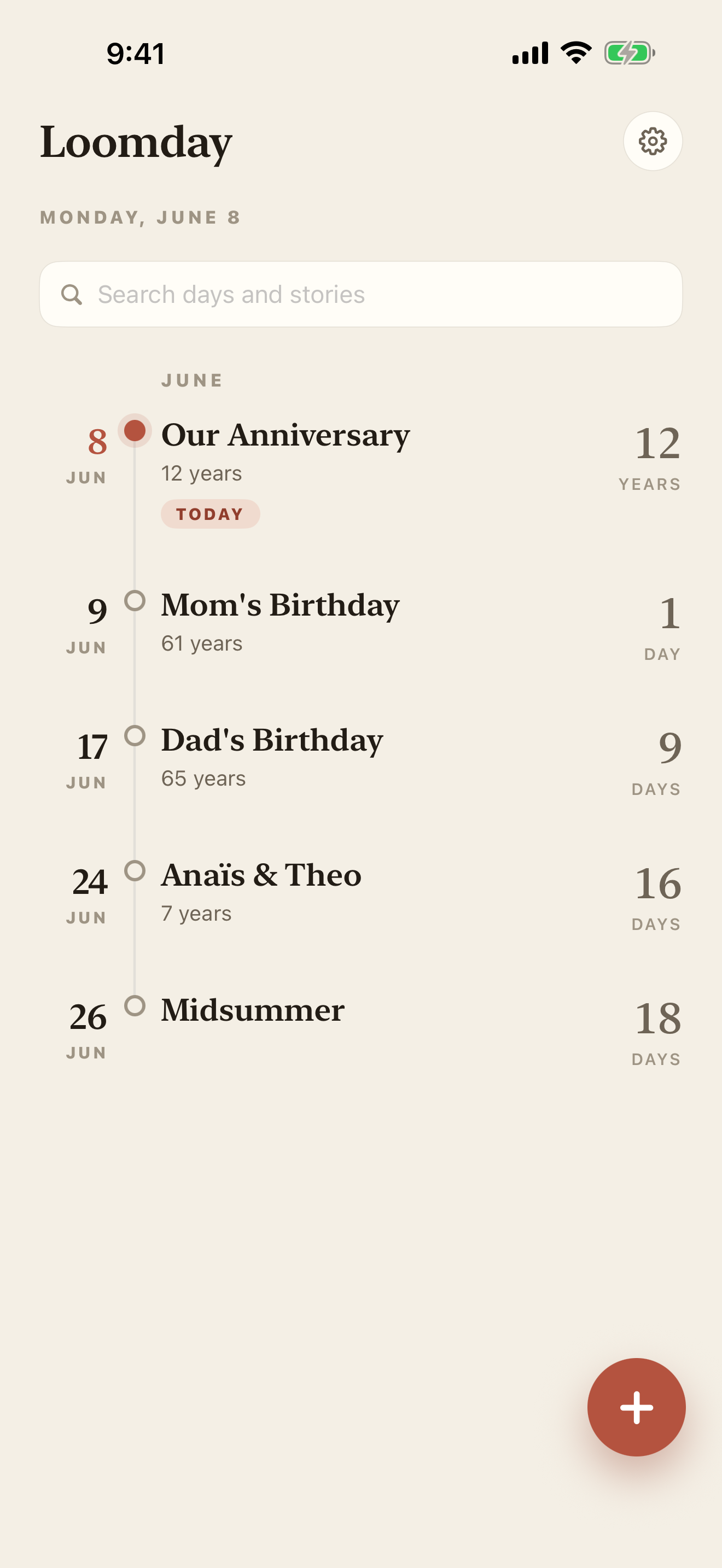
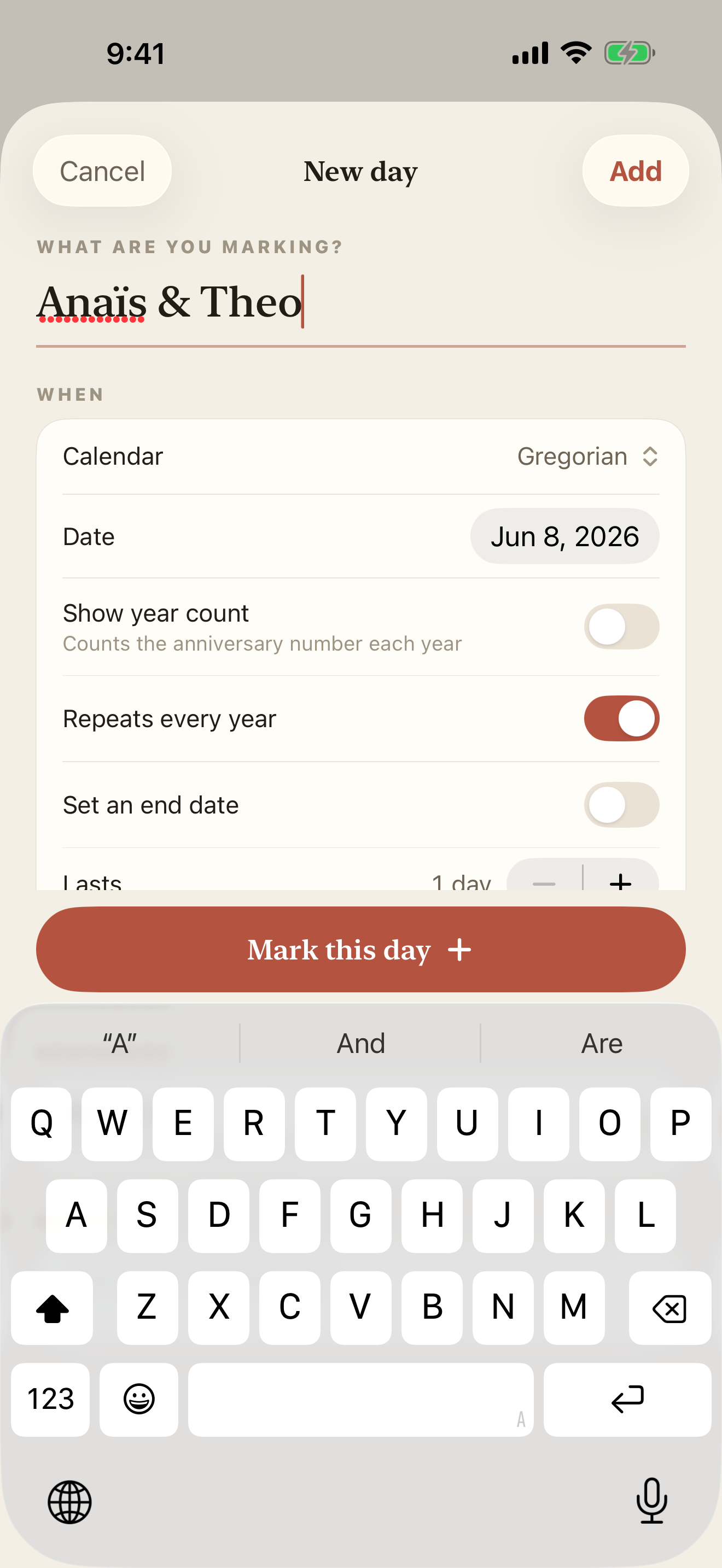
Set it once. Never scramble again.
Add a day in seconds and Loomday tracks every recurrence for you. Quiet, well-timed nudges arrive when there's still time to do something about them.
- Counts the years automatically — “turns 64”, “12 years together”.
- Multiple lead-time alerts — a week before, the day before, the morning of.
- Import birthdays straight from Contacts, no retyping.
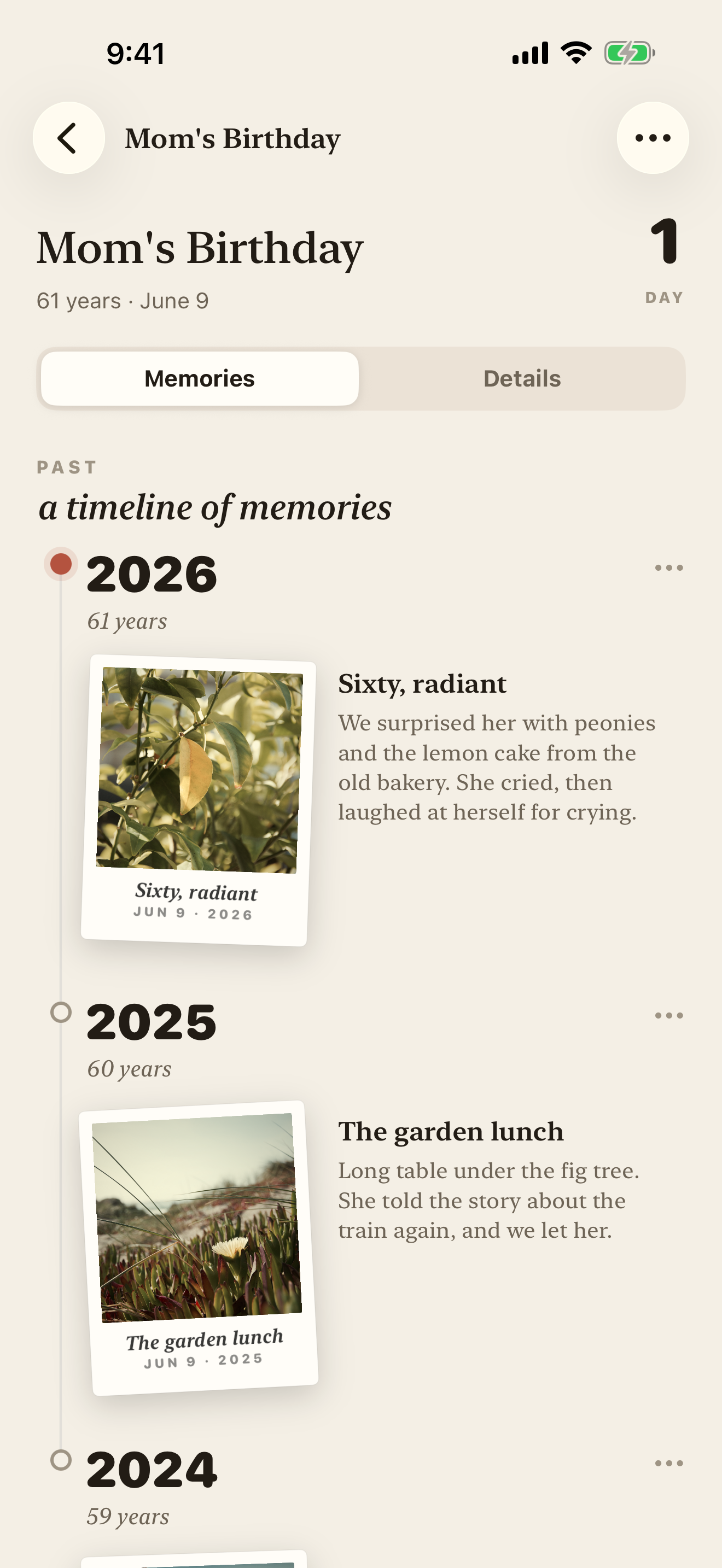
Keep a story for every year.
Behind each day is a quiet timeline of the years you've shared. Add a photo and a few words after the moment passes, and watch a relationship gather into something you'll want to scroll back through.
- Photos & videos linked from your library — never copied or uploaded.
- A short note per year builds a story you'll actually re-read.
- Set any year's photo as the cover — the face you see first.
Hebrew, lunar, and the dates that drift each year.
Some of the most important days don't sit still on the Gregorian calendar. Loomday does the conversion every year, so a lunar or Hebrew birthday lands on exactly the right day — without the yearly math.
Lunar birthday reminder · Hebrew anniversary countdown · Islamic (Hijri) birthday reminder
Gregorian
The everyday calendar, with automatic year counts and leap-day handling.
Chinese Lunar
Lunar birthdays mapped to this year's Gregorian date, every year.
Hebrew
Hebrew dates that shift annually, resolved so you never miss the right day.
Islamic (Hijri)
The Hijri calendar, tracked forward through its yearly drift.
Indian
National Saka dates, converted to the day they fall this year.
Persian (Solar Hijri)
Solar Hijri dates, kept accurate without the manual lookup.
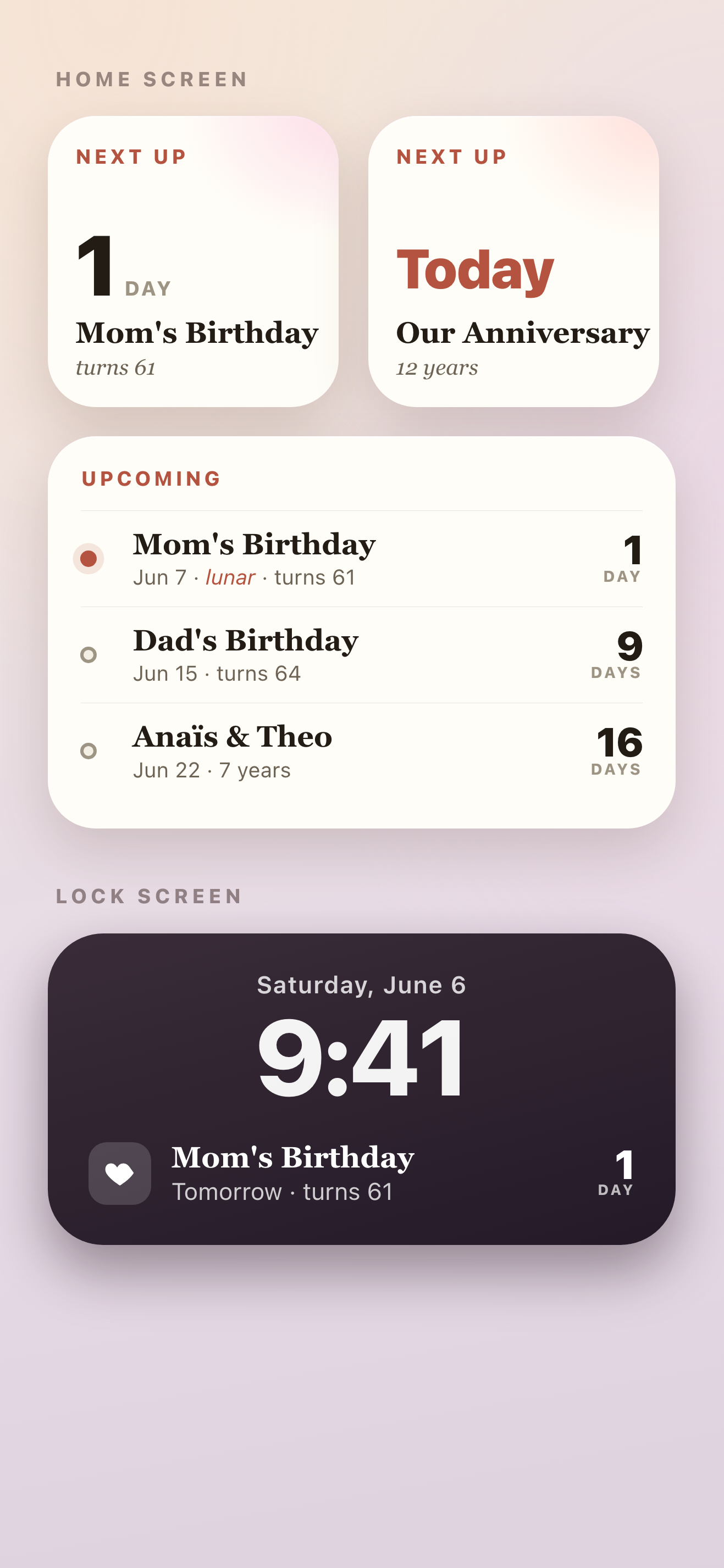
Your next day, at a glance.
Keep the countdown where you'll see it. Home and lock-screen widgets surface what's next without opening the app — one quiet number, in the same warm type.
- Home-screen widgets in three sizes.
- Lock-screen complications for a glance from anywhere.
- Updates itself as days pass — nothing to refresh.
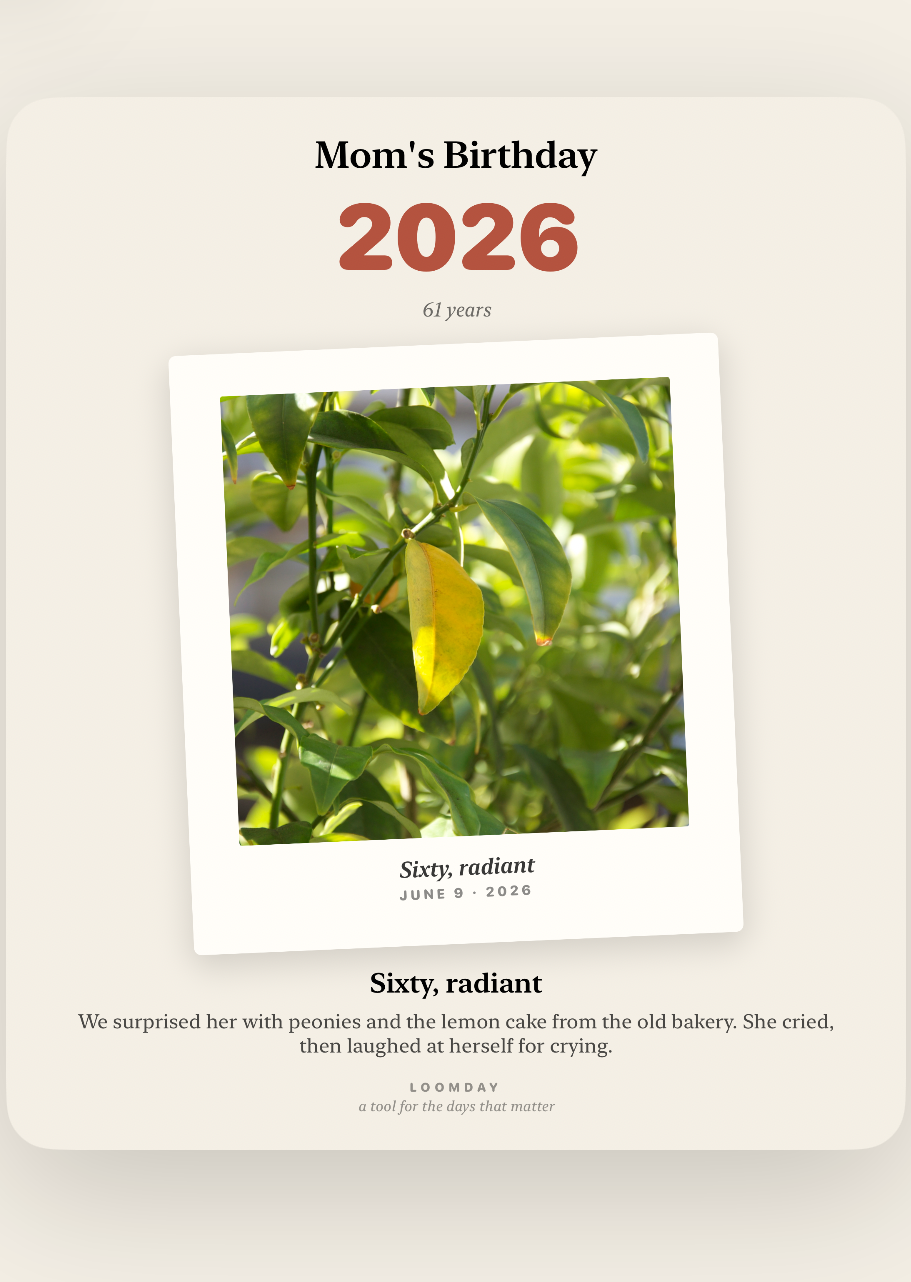
A keepsake worth sending.
Turn any year into a card — the photo, the count, the few words you wrote — and send it to the people who were there. It looks like something kept, not something generated.
- Export a single year or the whole story.
- Shares through the standard iOS share sheet.
No account. No server. Nothing leaves your phone.
Loomday is built to be a quiet, private place. Your days, photos and stories live on your device — we never see them, because there's nowhere for them to go.
On-device by design
Everything is stored locally with SwiftData. There's no cloud account to create and no sign-in to forget.
Your photos stay put
Memories are linked from your photo library, never copied or uploaded. Loomday just points to them.
Notifications, locally
Reminders are scheduled by iOS on your device. No tracking, no analytics following you around.
Countdown and calendar guides
Keep the next important day in sight.
Set up a countdown widget or track a birthday that moves on the Gregorian calendar.
Put the days remaining on your Home Screen or Lock Screen.
Read the guide → Chinese lunar birthday reminderTrack the correct Gregorian date automatically each year.
Read the guide → Hebrew anniversary countdownRemember a Hebrew-calendar date without annual conversion.
Read the guide → Islamic Hijri birthday reminderCount down to a Hijri date on iPhone or Android.
Read the guide →Questions, answered.
Is Loomday free?
Yes — Loomday is free. Every feature, including the keepsake photos and stories, is included. There's no account required and everything stays on your device.
Do I need an account or internet connection?
Neither. Loomday works fully offline and never asks you to sign in. Everything — your days, photos and stories — stays on your device.
How does the multi-calendar support work?
Add a day using Gregorian, Chinese Lunar, Hebrew, Islamic, Indian or Persian calendars. Loomday converts the original date to the day it falls in the current year, so lunar and Hebrew birthdays always land correctly — no annual lookups.
What happens to my photos?
They never move. Loomday links to photos and videos in your library rather than importing them, so nothing is copied, uploaded, or duplicated. Delete the app and your photos are untouched.
Which devices are supported?
Loomday is available on the App Store for iPhone and iPad and on Google Play for Android devices. It supports widgets and is available in English, Spanish, French, German, Portuguese, Japanese, Korean, and both Chinese scripts.
The days are coming
either way. Be ready for them.
Download Loomday free and turn the next birthday into the first page of a keepsake.