
Passport photo app.
Framed to country spec.
Make passport and ID photos with country presets, smart head positioning, on-device background removal, and print-ready sheets. Try IDFrame free.
How it works
Four taps from phone to print.
Step by step, the app walks you from country to a print-ready sheet — with smart defaults so most people never have to fiddle.
-
01
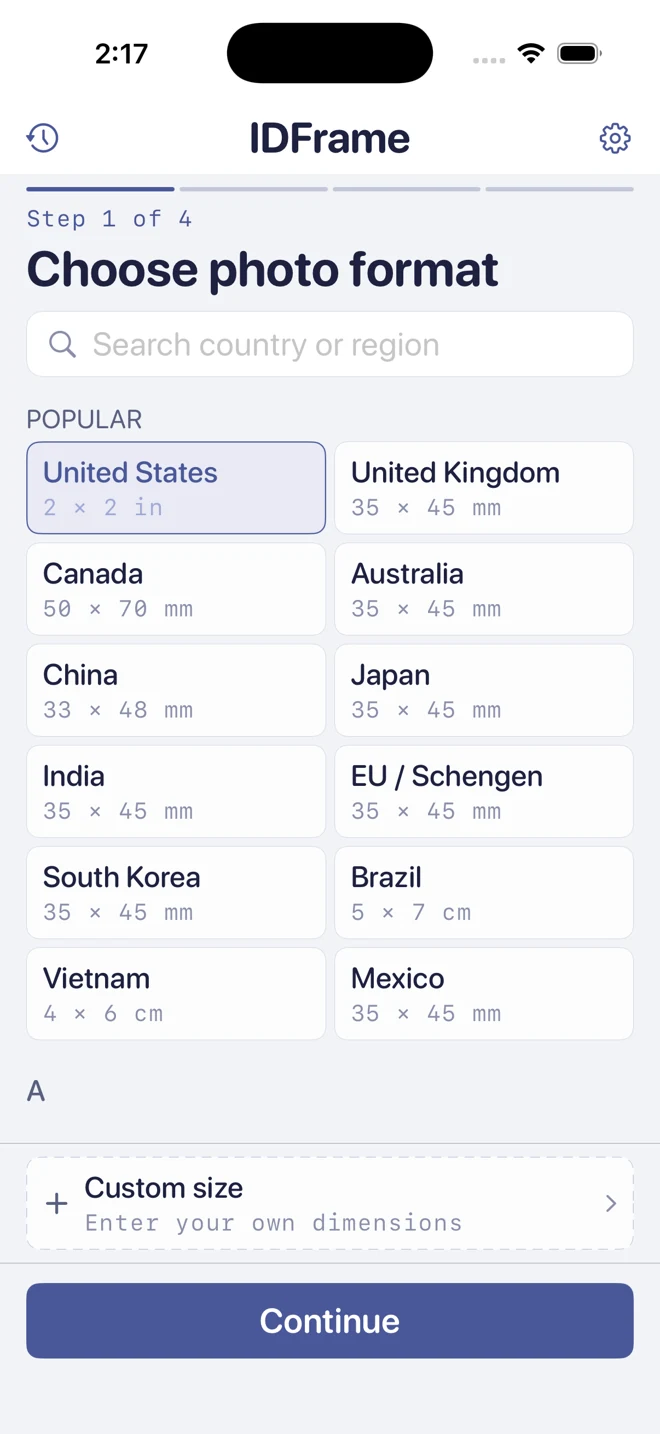
Choose your country
Built-in presets for US, UK, Canada, Australia, China, Japan, India, EU/Schengen, South Korea, Brazil, Vietnam, and Mexico — with the right dimensions, head ratio, and background color baked in. Need a different size? Custom dimensions in mm or inches.
-
02
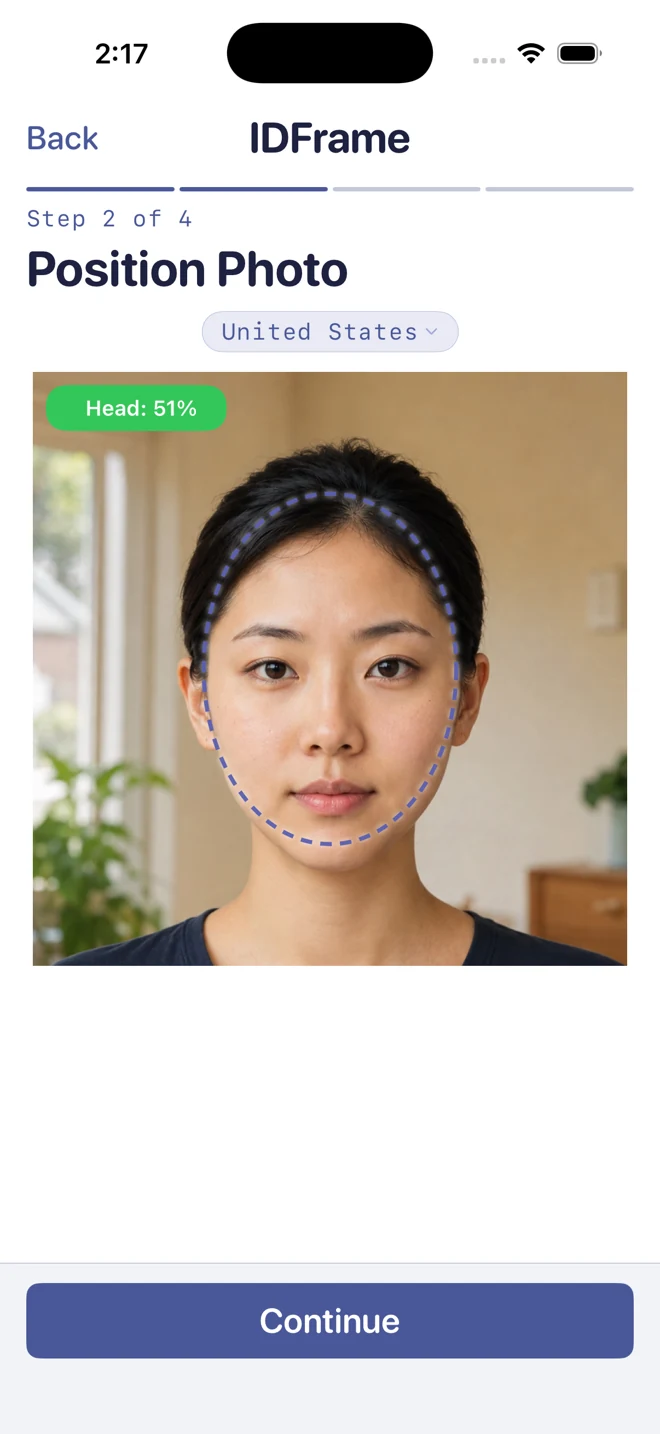
Frame your face to spec
Smart head detection auto-positions the face inside the official frame. The green Head: 51% badge confirms the ratio is in spec. Drag to reposition or pinch to zoom.
-
03
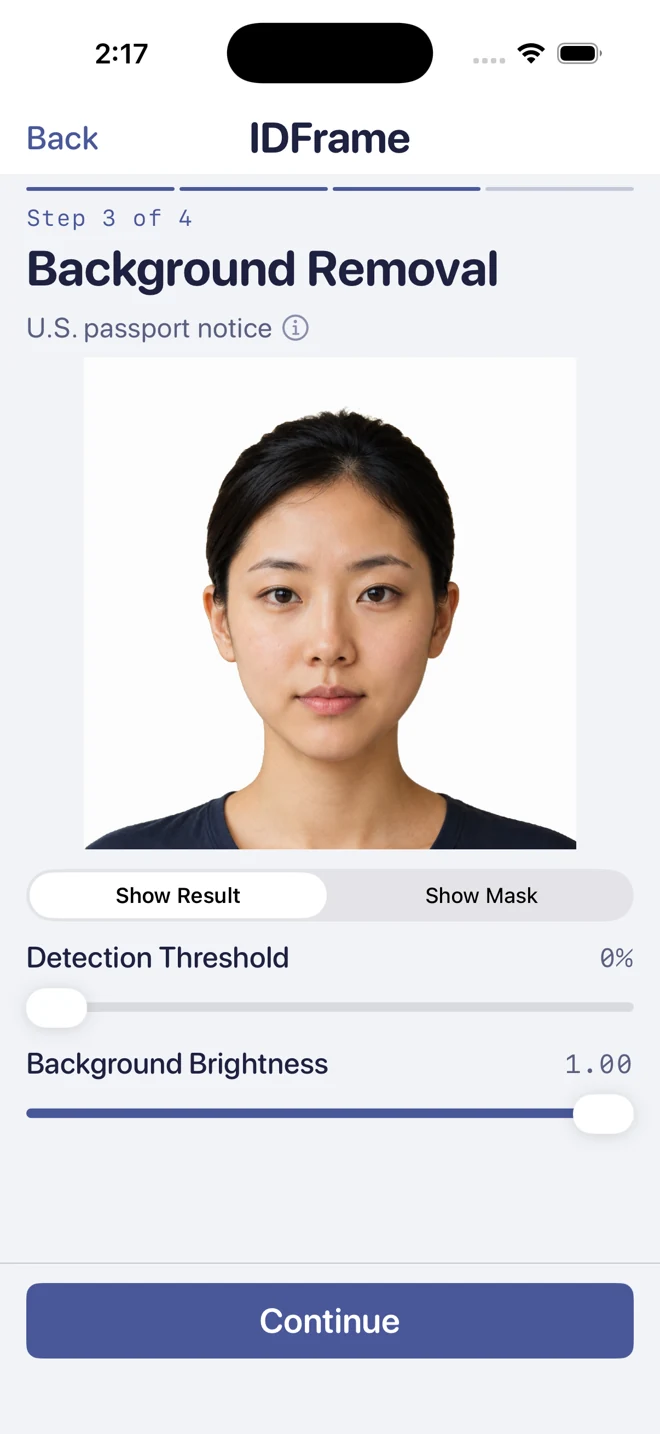
Clean the background
On-device segmentation removes the background — your photo never leaves your phone. Tunable detection threshold and background brightness sliders let you fine-tune the boundary. Use background editing only when the issuing authority allows it.
-
04
Export. Or print.
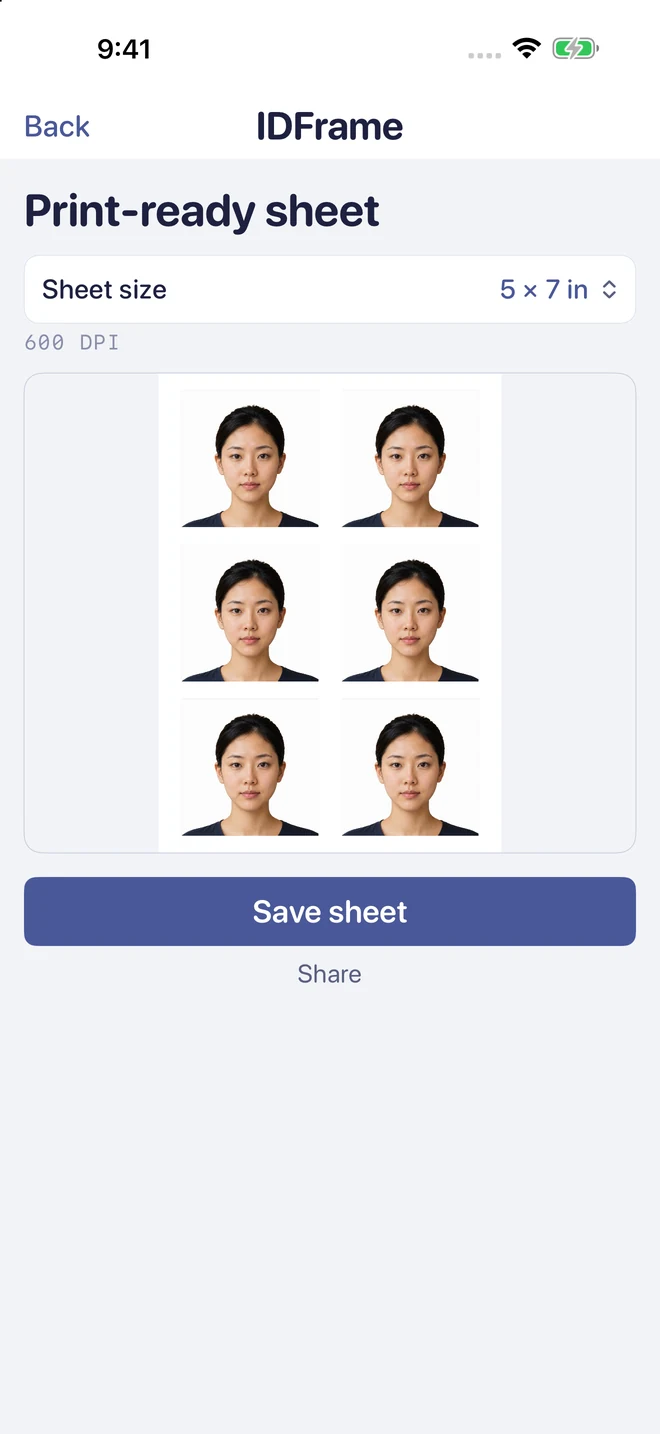
IDFrame exports 4×6, 5×7, A4, or Letter sheets for home photo printers or photo-printing services. Check the store policy, print at actual size, and measure the photos before cutting.
On-device by design
Your face never leaves your phone.
Face detection, head positioning, and background removal all happen on-device — your photos are never uploaded to any server. To improve the app, IDFrame uses privacy-respecting analytics (never your photos, and no ads) that you can opt out of.
- ✓ Photos processed on-device, never uploaded.
- ✓ No account. No sign-up. No ads.
- ✓ Consent-based analytics you can turn off anytime.
- ✓ Tunable detection threshold and background brightness.
Pricing
Preview free. One simple unlock.
Preview your photo for free. Unlock photo exports and print-ready sheets with a one-time purchase, or choose lifetime access for all your photos. See current prices in the App Store or Google Play. No subscriptions.
Billing and refunds are handled by the App Store and Google Play. Check the app for purchase options and restoration conditions.
Download
Get IDFrame for iPhone or Android.
Preview your photo free. Country presets, on-device processing, no sign-up. Try it now.
Your photos are processed on-device and never uploaded. To improve the app and measure our advertising, IDFrame uses privacy-respecting, consent-based analytics — see our Privacy Policy. Permissions used: Photo Library (to import a photo) and Camera (optional, for Take Photo).
Passport photo guides
Get the size and print setup right.
Clear, source-backed guides for the questions people ask before making a passport photo.
Make a US 2×2 passport photo
See the official size, head-position, background, and recency requirements, then frame the photo in IDFrame.
Read the US guide → Size referenceCompare US, UK, and Canada sizes
Passport photo dimensions are not universal. Compare the common printed sizes and official source links.
Compare photo sizes → PrintingPrint passport photos on 4×6 paper
Export a correctly sized sheet, avoid automatic cropping, verify the final dimensions, and cut each photo.
See the print steps →Frequently asked
Common questions about passport photos.
Does IDFrame support US, UK, EU, and other country passport photos?
Yes. IDFrame ships with built-in presets for US, UK, Canada, Australia, China, Japan, India, EU/Schengen, South Korea, Brazil, Vietnam, and Mexico — each with the correct dimensions, head ratio, and background color baked in. You can also enter custom sizes in millimeters or inches for any country or visa application that isn't preset.
Is IDFrame really free?
Preview your photo for free. Unlock photo exports and print-ready sheets with a one-time purchase, or choose lifetime access for all your photos. See current prices in the App Store or Google Play. No subscriptions.
Does IDFrame upload my photo to a server?
No. Your photo is processed entirely on your device — face detection, head positioning, and background removal all run on-device, and your images are never uploaded. IDFrame shows no ads and needs no account. To understand app usage and measure our advertising, IDFrame does use Google Analytics for Firebase; this never includes your photos, and you can turn it off (see our Privacy Policy). The only permissions IDFrame asks for are Photo Library (to import a photo) and Camera (optional, if you want to take a new one).
Where can I print the photo?
IDFrame exports 4×6, 5×7, A4, or Letter sheets for home photo printers or photo-printing services. Check the store policy, print at actual size, and measure the photos before cutting.
Can I download my photo again later?
While a photo remains in Recents, the app’s on-device history, you can export it again or generate a print sheet. Photos are not stored on a server; save important files separately.
Is IDFrame available on iPhone and Android?
Yes — IDFrame is available on the App Store for iPhone and on Google Play for Android.