Know what's inside your food — and who allows it.
Scan a barcode or photograph an ingredient label, and Myredient flags the additives, dyes, and preservatives inside — then shows how the US, EU, Canada, and Japan regulate each one. Every flag cited, filtered to your preferences.
Available now on the App Store and Google Play.
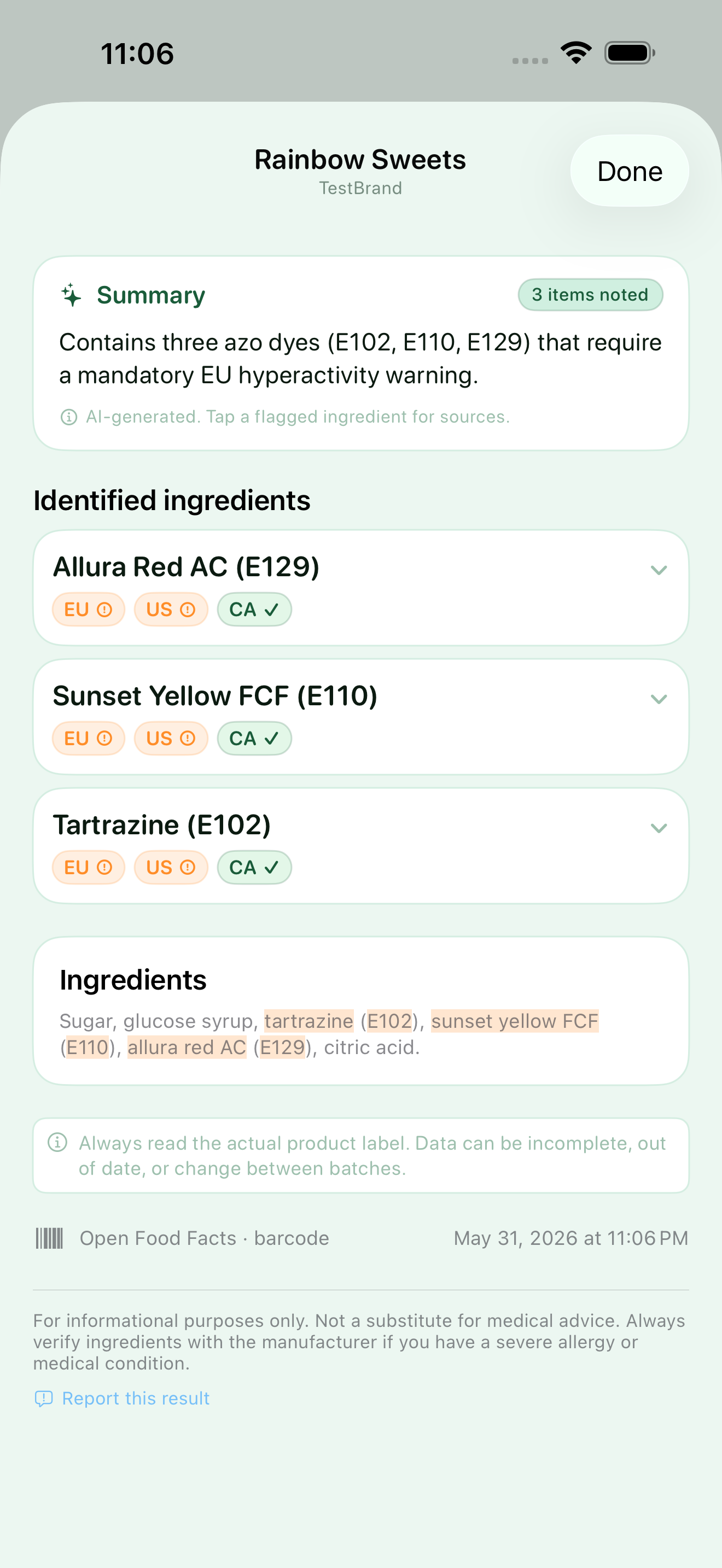
Every additive on the label, explained.
Myredient cross-references each ingredient against a curated database of food additives and E-numbers, plus entries for oils and industrial sweeteners — then tells you what each one is, what it does, and how regulators treat it.
Artificial colors & dyes
Red 40 (Allura Red), Yellow 5 (Tartrazine), and titanium dioxide. Including where each is banned or restricted.
Preservatives
Sodium benzoate, sulfites, nitrites, and parabens. Used to extend shelf life.
Sweeteners & flavor enhancers
Aspartame, sucralose, MSG, high-fructose corn syrup, and maltodextrin.
Seed & hydrogenated oils
Refined canola, soybean, and other industrially processed oils.
Emulsifiers & thickeners
Carrageenan, lecithins, and gums common in ultra-processed food.
One ingredient, four regulators.
Most scanners give one verdict. Myredient shows where an additive is permitted, allowed only under conditions, or outright banned — across the United States, European Union, Canada, and Japan. The facts, not a score.
- EU Food Additives Register (Reg. 1333/2008)
- FDA Substances Added to Food
- Health Canada permitted-additive lists
- Japan MHLW additive lists
Scan the barcode, or snap the label.
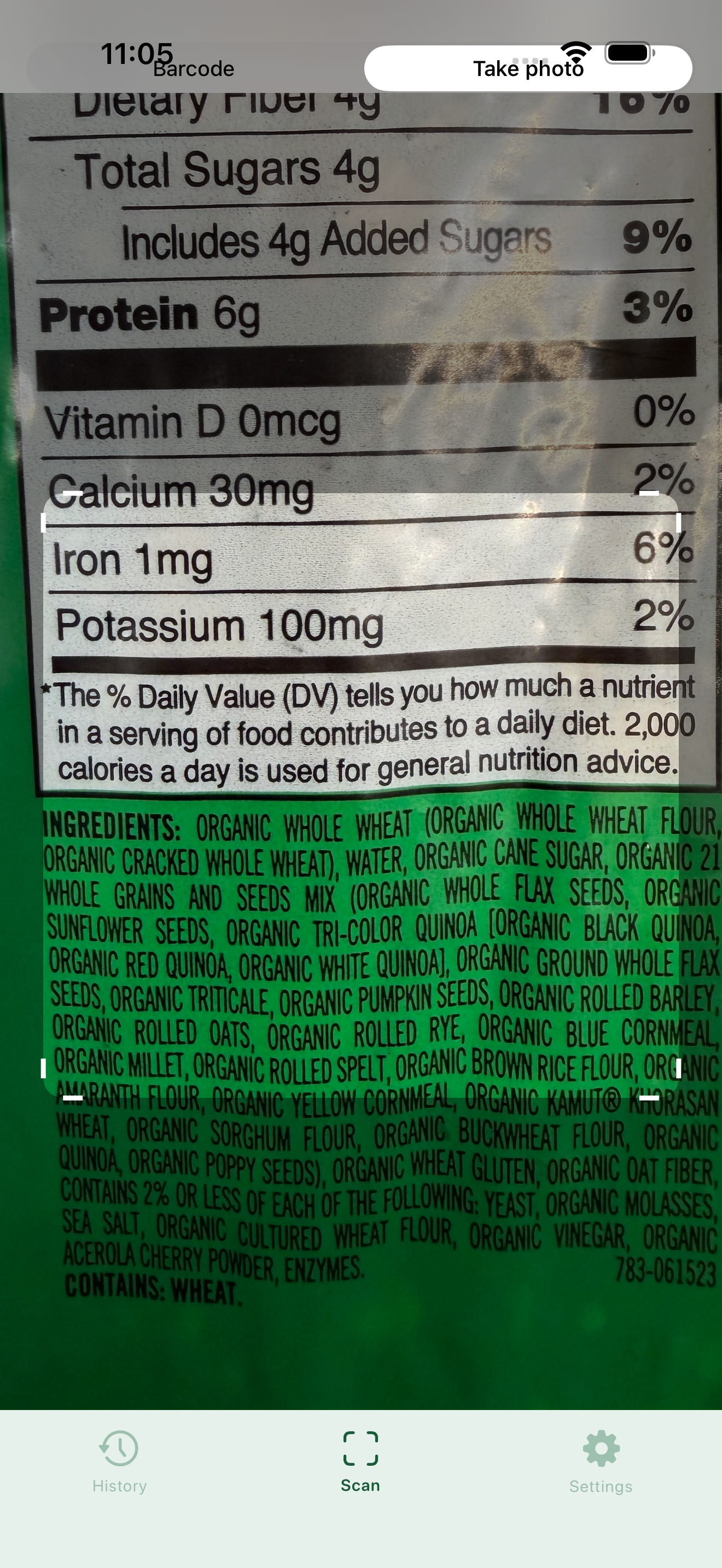
Point the camera at a product barcode for an instant lookup, or photograph the ingredient list directly — both are built in, so you're covered whether or not the product is in a database.
- 📷Barcode lookupIdentifies the product and pulls its ingredient list from public food databases.
- 🔤Label OCRReads the printed ingredient list with on-device text recognition when no barcode match exists.
- 🌐Reads any languagePhotograph a foreign-language label and Myredient translates the ingredients into English, then analyzes them — with a toggle to show the original.
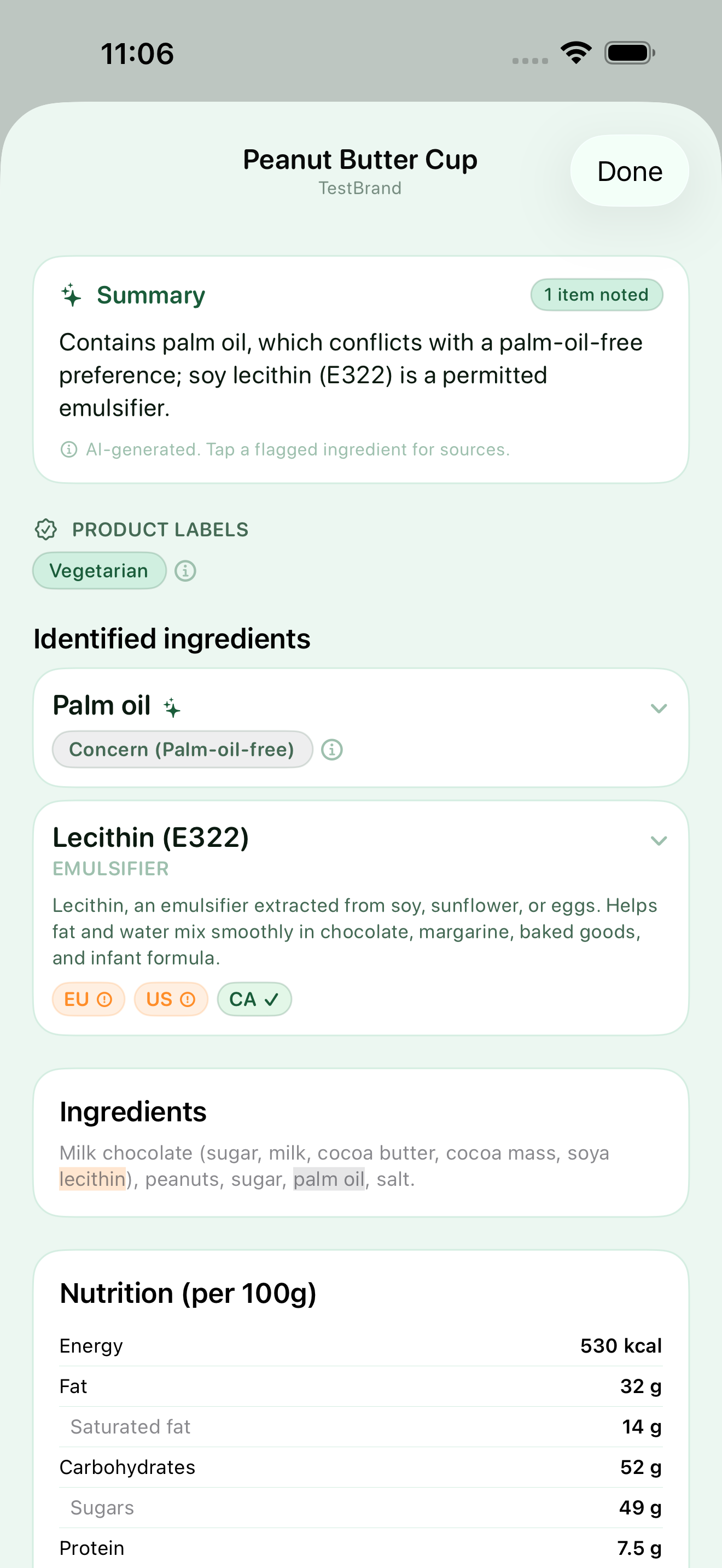
Every scan, tuned to your preferences.
Set your preferences once, and every scan opens with a one-glance verdict — a clear right for you or not for your preferences — then the exact conflicts, so you're never left reading a wall of unfamiliar chemical names.
- ✨A one-glance verdictA clear read tuned to what you're avoiding, with the specific conflicts called out — before you dig into the detail.
- 🍽️Preference-aware flagsVegan, vegetarian, halal, kosher, or your own avoid-list — matching runs against the preferences you set.
- 📊The product's own numbersThe nutrition facts printed on the label, parsed and shown alongside the ingredient breakdown.
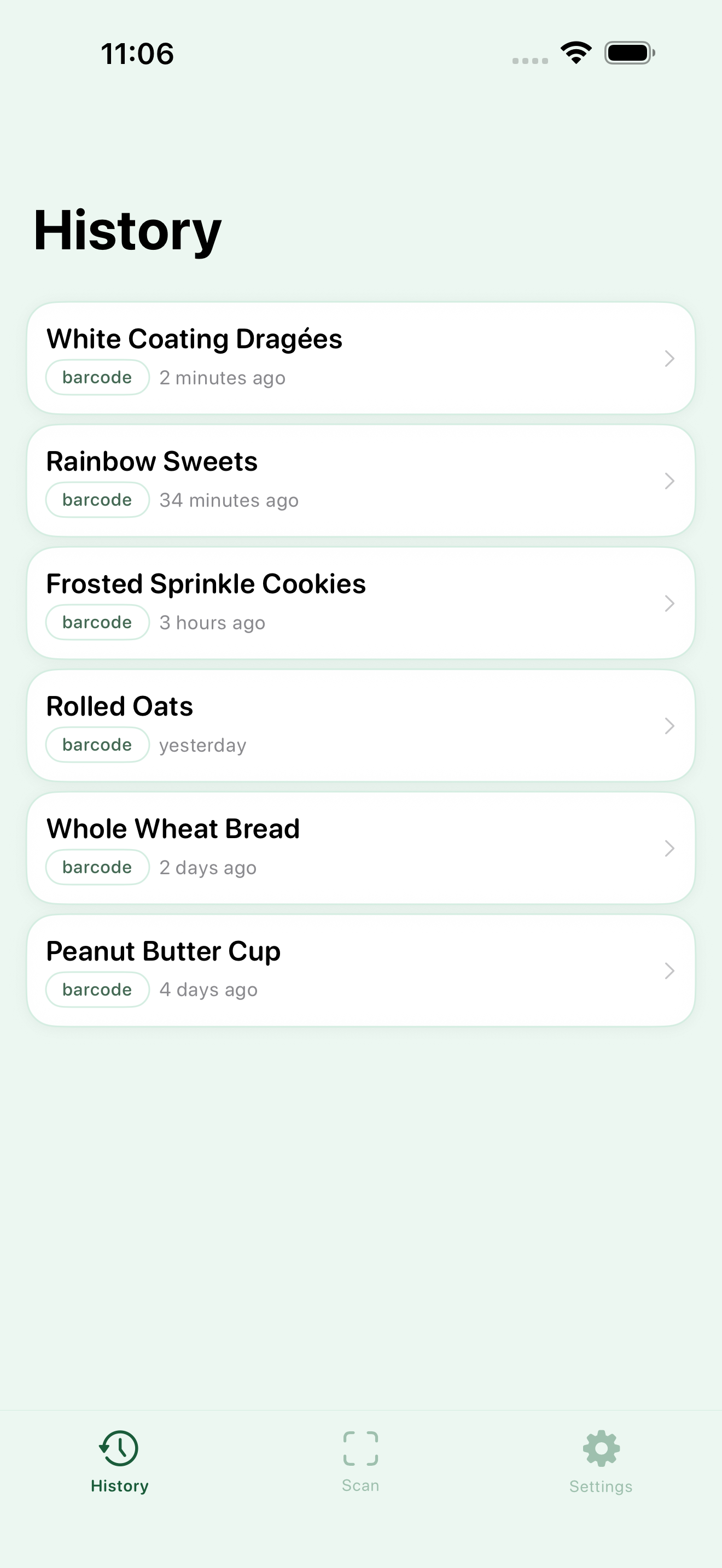
Every scan, kept for later.
Each product you scan is saved to your history, so you can revisit a result or compare two options without scanning again. It all stays on your device.
- 🕑Your scan historyRecent products are listed with how you scanned them and when, ready to reopen in a tap.
- 🔁Compare without rescanningJump back to a previous result to weigh two products against each other.
- 📱Stored on your deviceHistory lives locally and can be cleared at any time from Settings.
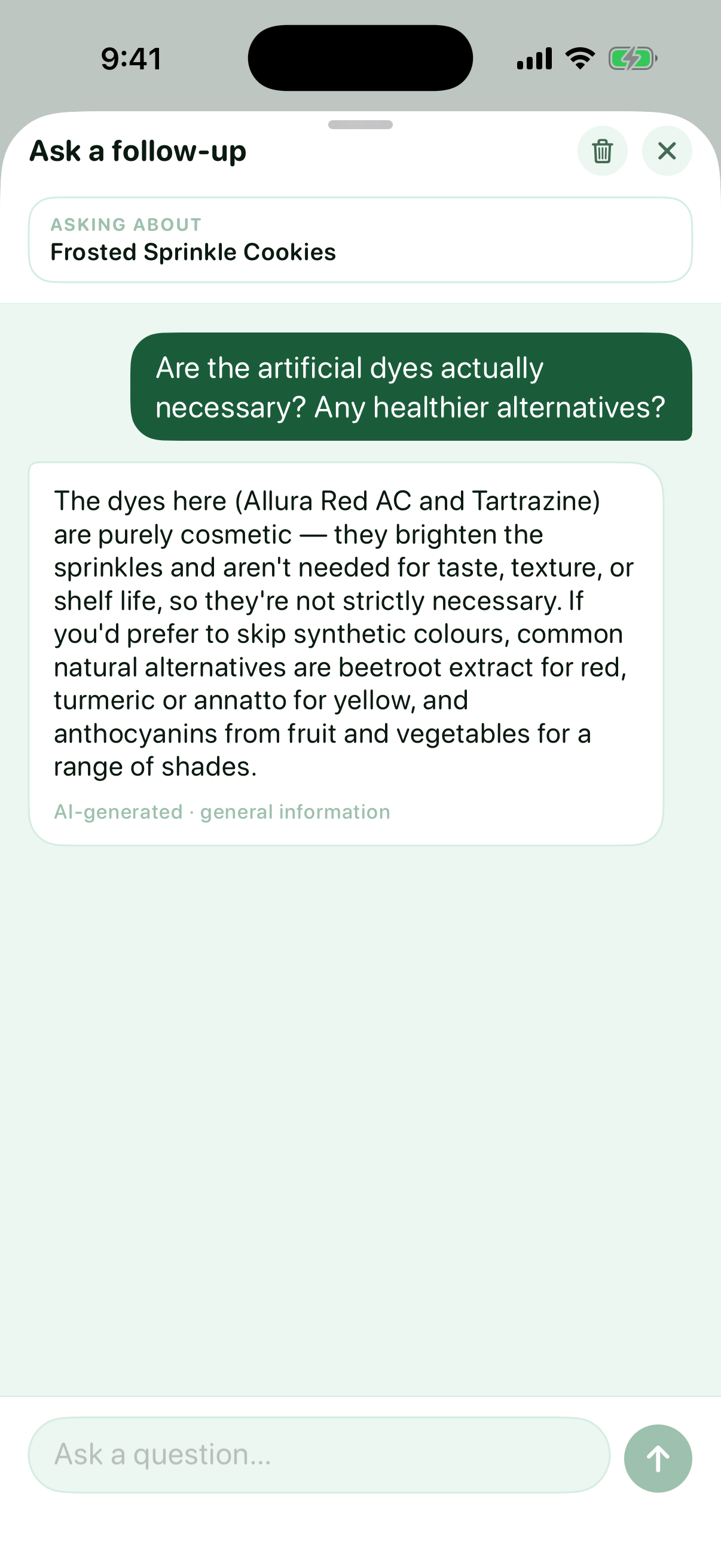
Still have a question? Just ask.
Open any result and ask in your own words. Myredient answers from the scanned product's own data plus general food-science knowledge — so you get a real answer, not another summary. Every reply is clearly marked as AI-generated general information.
- 🍼Is this right for…Ask whether a product suits a toddler, a pregnancy, or a low-sugar diet — and get the real considerations, not a brush-off.
- 🔍Should I worry about this ingredient?An honest, balanced read on what an additive is, why it's used, and what concerns have actually been raised.
- 🌱Is there a cleaner option?Ask whether an ingredient is even necessary, and what natural alternatives exist.
Built to respect your data.
Myredient keeps the personal parts personal. Your dietary profile and scan history stay on your device — the app reaches out only to look up the products and additives you scan.
Ingredient label guide
Check the source, not just a score.
Learn how to identify an additive, look up its regulatory status, and interpret the result without oversimplifying it.
Frequently asked questions
Short answers about what Myredient flags, how it sources regulatory status, label translation, and privacy.
What does Myredient flag in a product's ingredients?
Does Myredient identify artificial food dyes like Red 40 and Yellow 5?
Can Myredient look up E-numbers and food additives?
How does Myredient know how each additive is regulated?
Does Myredient detect MSG, aspartame, and other sweeteners or flavor enhancers?
Can Myredient read ingredient labels in another language?
Can I ask follow-up questions about a scan?
Is my data private?
Is Myredient available to download?
See what's really in your food.
Additives, dyes, and preservatives — flagged, explained, and cited. Available now on the App Store and Google Play.