
Passport photo app.
Framed to country spec.
IDFrame formats your passport, visa, or ID photo to the exact spec your country requires — on iPhone or Android. Country presets, smart head detection, and on-device background removal. Save a watermarked preview, or unlock the clean photo — print-ready sheets for any photo store included.
How it works
Four taps from phone to print.
Step by step, the app walks you from country to a print-ready sheet — with smart defaults so most people never have to fiddle.
-
01
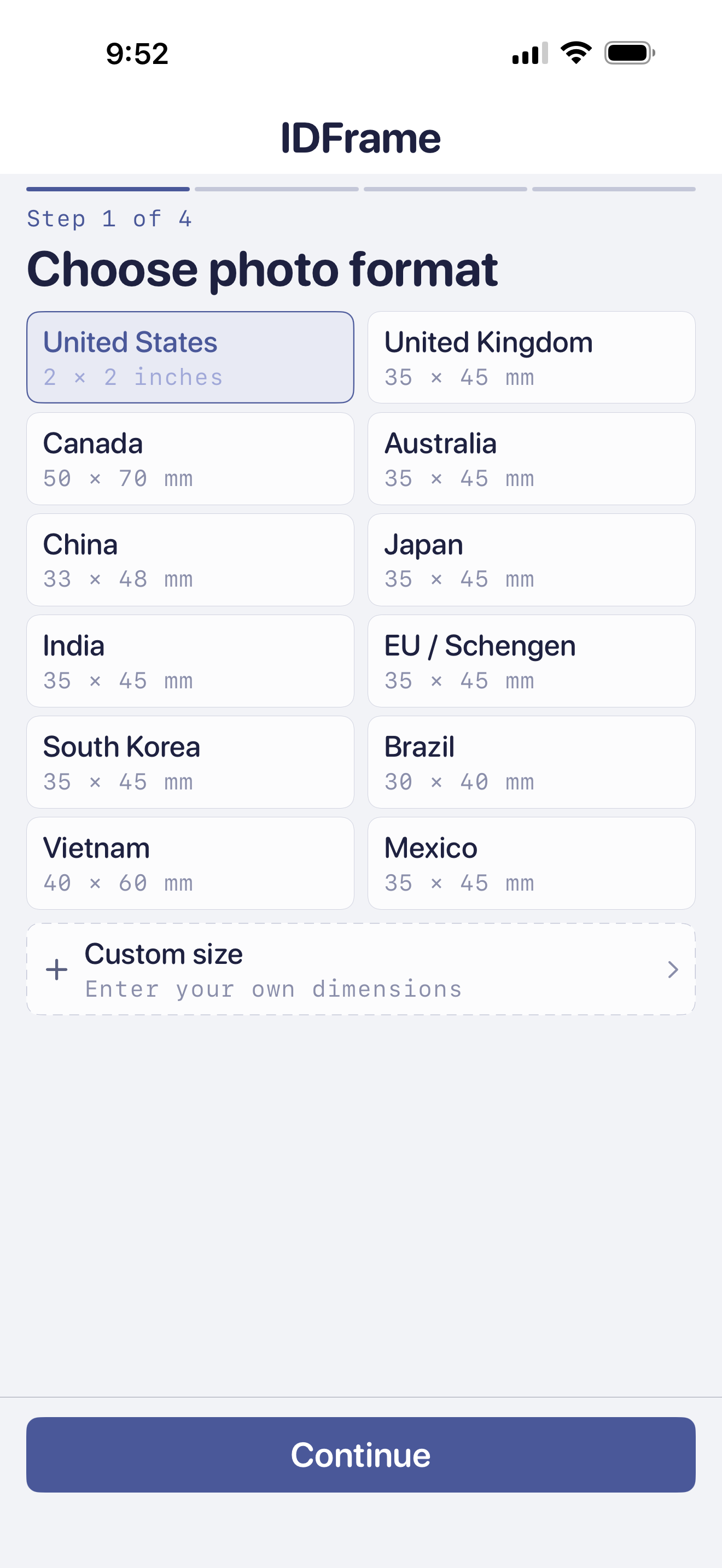
Choose your country
Built-in presets for US, UK, Canada, Australia, China, Japan, India, EU/Schengen, South Korea, Brazil, Vietnam, and Mexico — with the right dimensions, head ratio, and background color baked in. Need a different size? Custom dimensions in mm or inches.
-
02
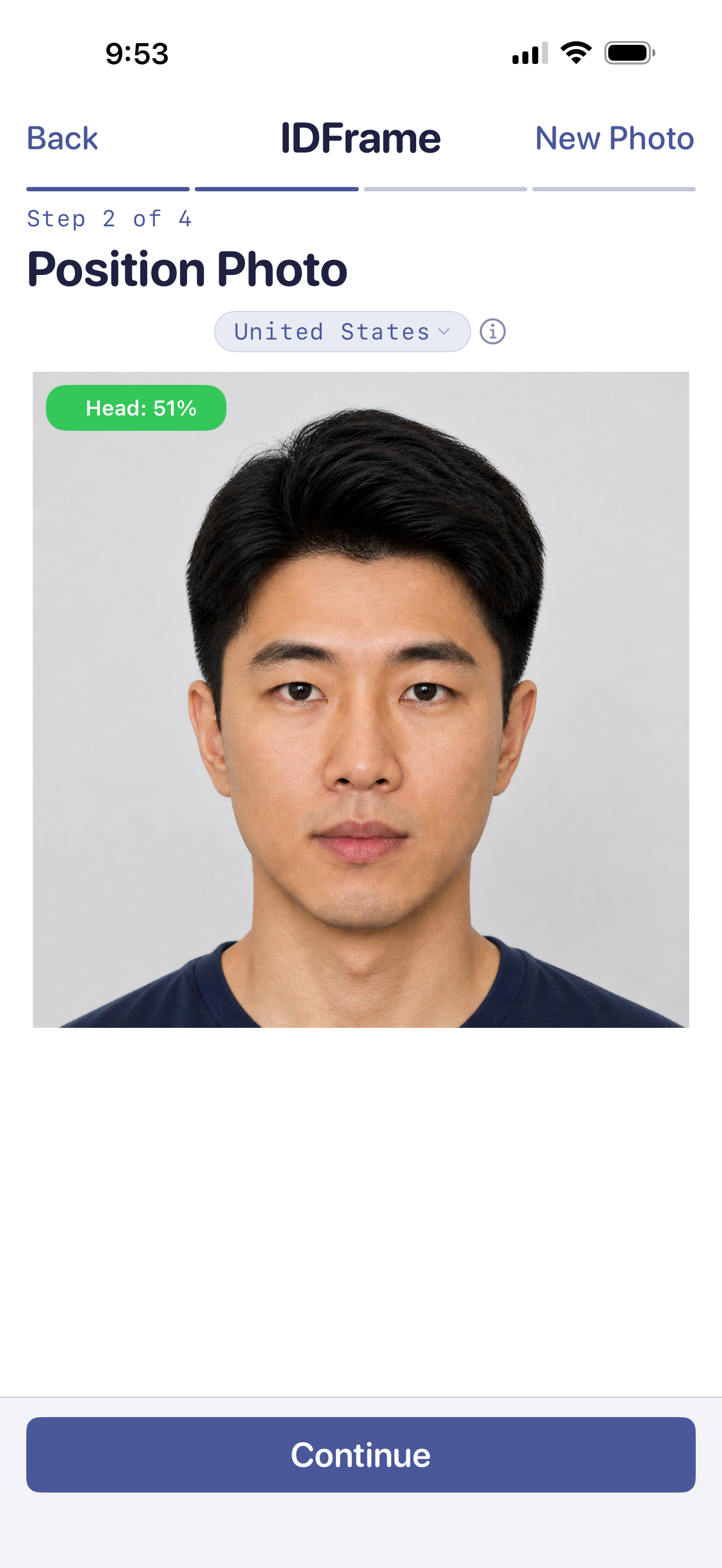
Frame your face to spec
Smart head detection auto-positions the face inside the official frame. The green Head: 51% badge confirms the ratio is in spec. Drag to reposition or pinch to zoom.
-
03
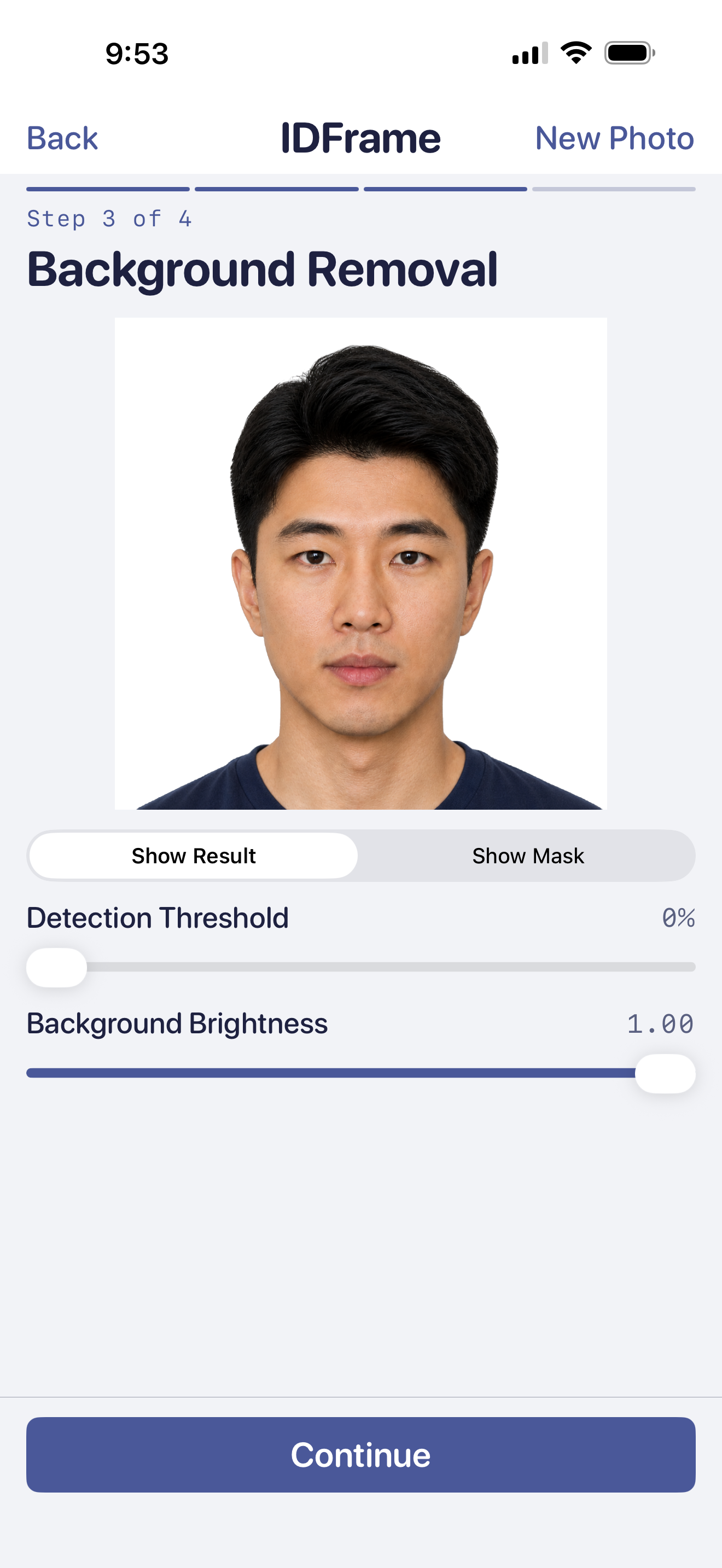
Clean the background
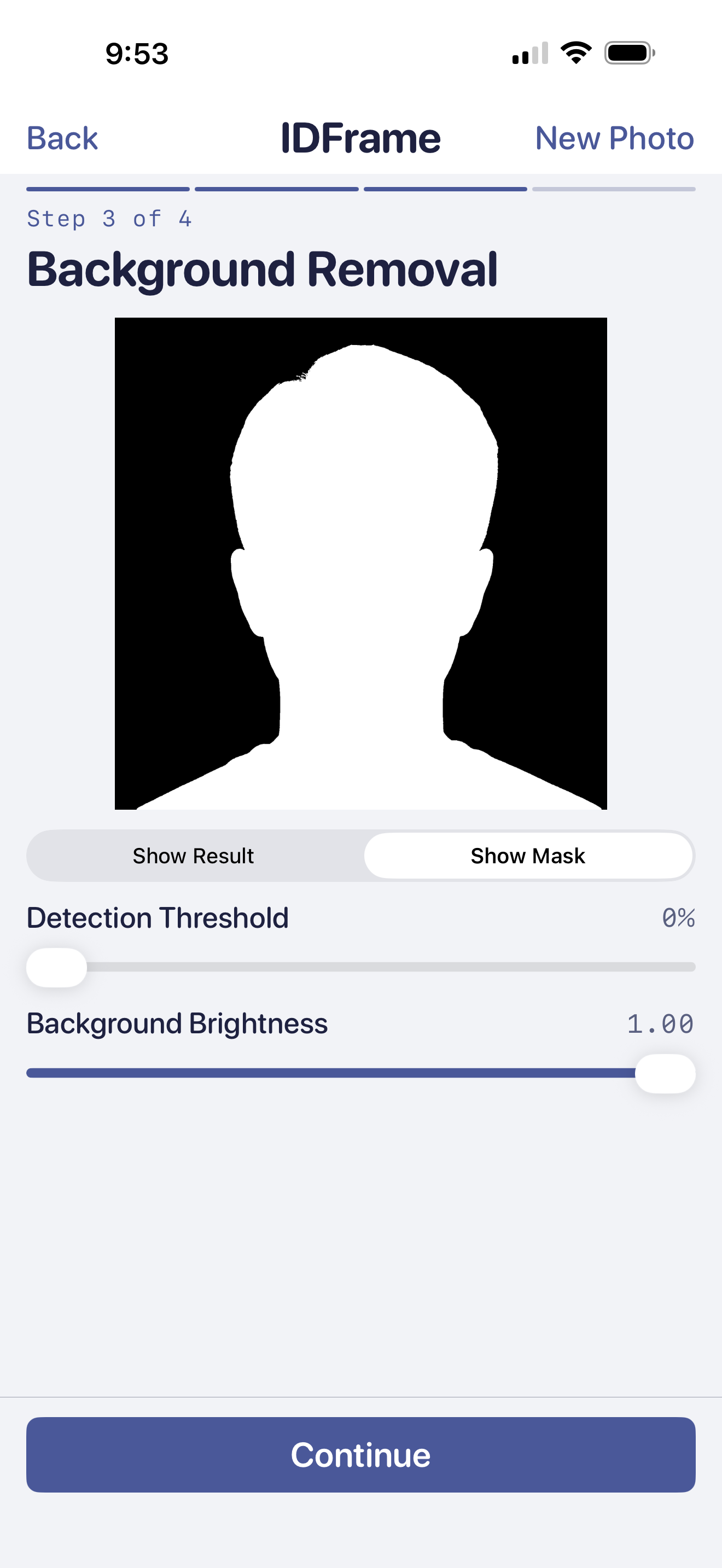
On-device segmentation removes the background — your photo never leaves your phone. Tunable detection threshold and background brightness sliders let you fine-tune the boundary.
-
04
Export. Or print.
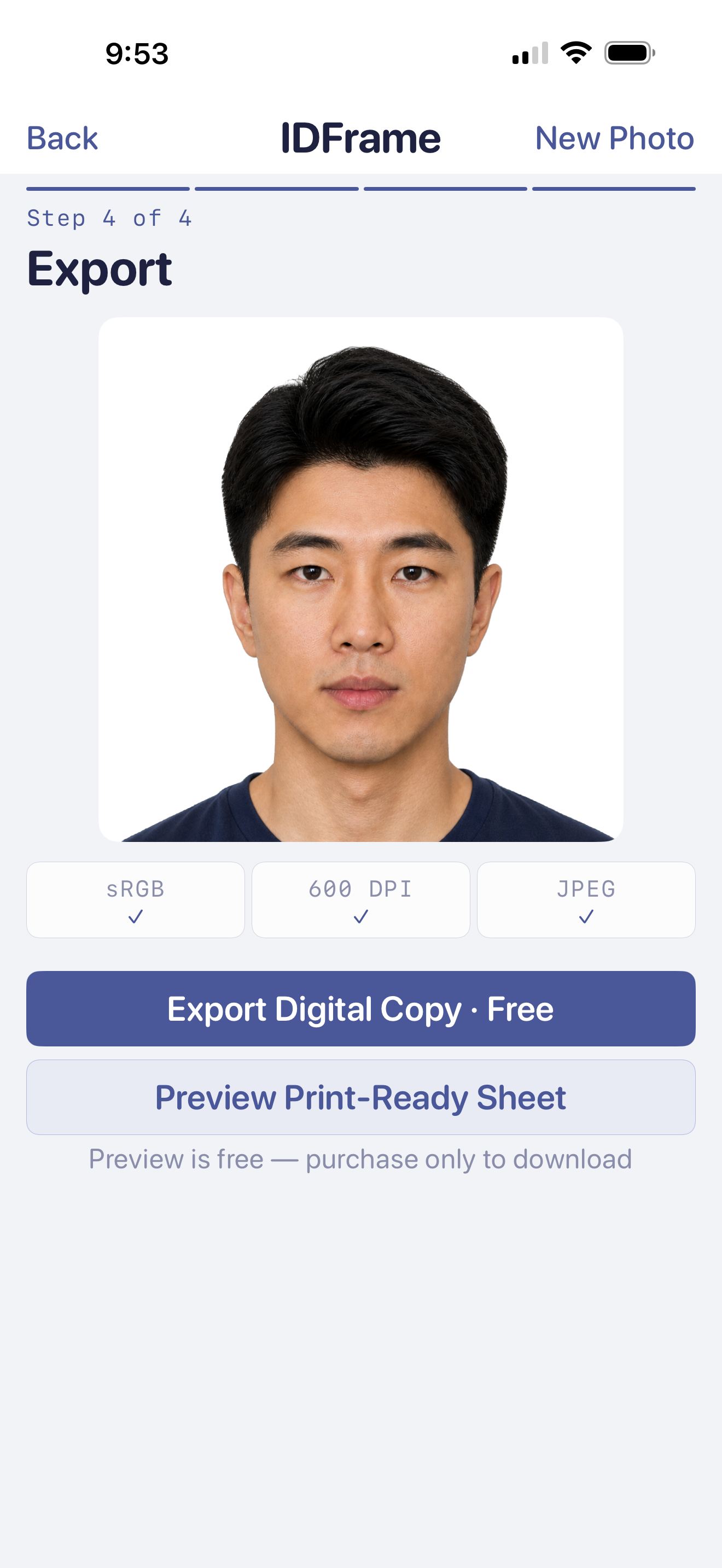
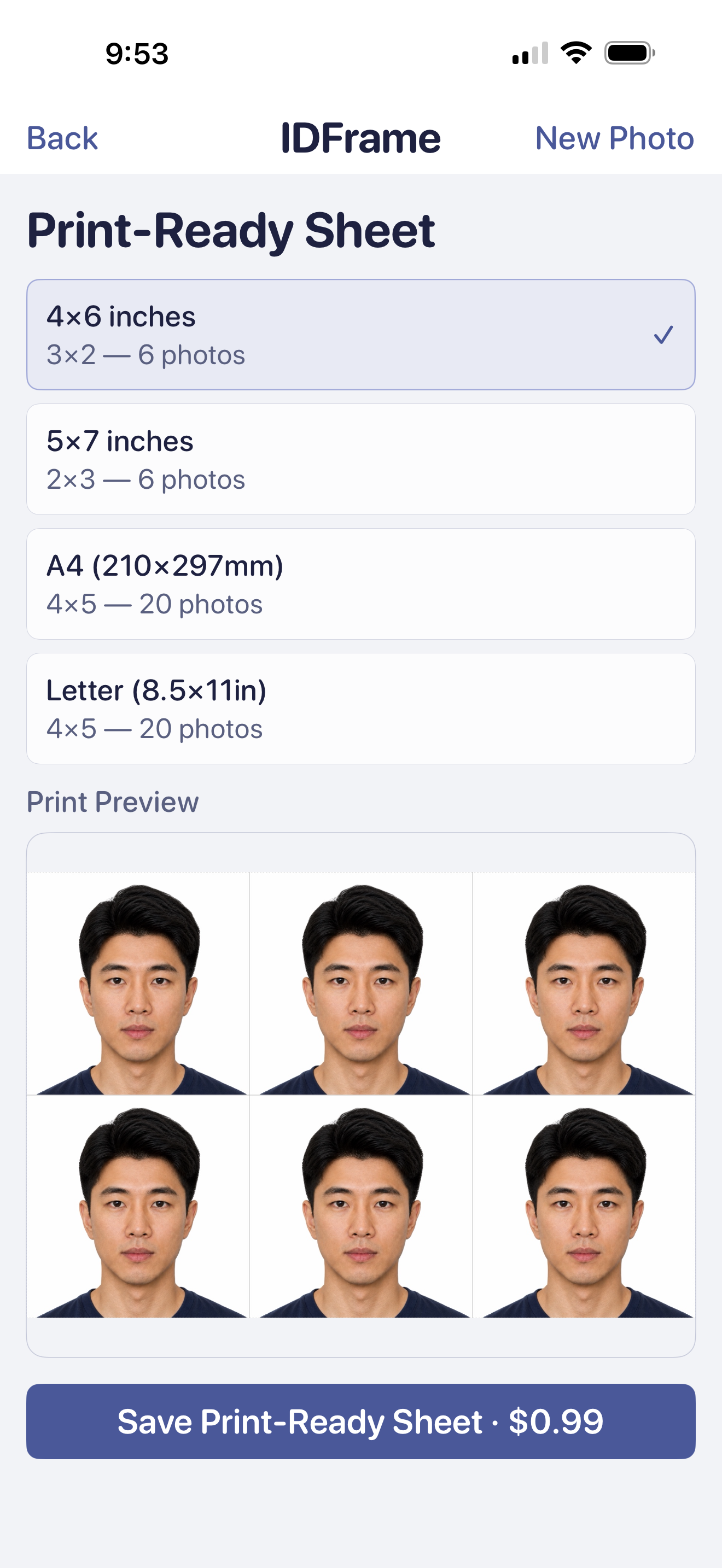
Save a watermarked preview to check quality, or tap Download without watermark to unlock the clean JPEG — print-ready sheets in 4×6, 5×7, A4, and more are included. Take them to any photo store.
On-device by design
Your face never leaves your phone.
Face detection, head positioning, and background removal all happen on-device — your photos are never uploaded to any server. To improve the app, IDFrame uses privacy-respecting analytics (never your photos, and no ads) that you can opt out of.
- ✓ Photos processed on-device, never uploaded.
- ✓ No account. No sign-up. No ads.
- ✓ Consent-based analytics you can turn off anytime.
- ✓ Tunable detection threshold and background brightness.
Pricing
Preview free. One simple unlock.
Check your photo first with a free watermarked preview. A one-time unlock removes the watermark and includes print-ready sheets in every size — or unlock every photo forever with the lifetime option. Current prices are shown in the App Store and Google Play. No subscriptions, ever.
Billing and refunds are handled by the App Store and Google Play. Both the one-time unlock and the lifetime option restore on a fresh install.
Download
Get IDFrame for iPhone or Android.
Preview your photo free. Country presets, on-device processing, no sign-up. Try it now.
Your photos are processed on-device and never uploaded. To improve the app and measure our advertising, IDFrame uses privacy-respecting, consent-based analytics — see our Privacy Policy. Permissions used: Photo Library (to import a photo) and Camera (optional, for Take Photo).
Passport photo guides
Get the size and print setup right.
Clear, source-backed guides for the questions people ask before making a passport photo.
Make a US 2×2 passport photo
See the official size, head-position, background, and recency requirements, then frame the photo in IDFrame.
Read the US guide → Size referenceCompare US, UK, and Canada sizes
Passport photo dimensions are not universal. Compare the common printed sizes and official source links.
Compare photo sizes → PrintingPrint passport photos on 4×6 paper
Export a correctly sized sheet, avoid automatic cropping, verify the final dimensions, and cut each photo.
See the print steps →Frequently asked
Common questions about passport photos.
Does IDFrame support US, UK, EU, and other country passport photos?
Yes. IDFrame ships with built-in presets for US, UK, Canada, Australia, China, Japan, India, EU/Schengen, South Korea, Brazil, Vietnam, and Mexico — each with the correct dimensions, head ratio, and background color baked in. You can also enter custom sizes in millimeters or inches for any country or visa application that isn't preset.
Is IDFrame really free?
You can create your photo and save a watermarked preview at no charge — useful for checking quality and compliance first. A one-time unlock removes the watermark from that photo and includes print-ready sheets in every size, and a lifetime option unlocks every photo forever. Current prices are shown in the App Store and Google Play. There are no subscriptions and no ads.
Does IDFrame upload my photo to a server?
No. Your photo is processed entirely on your device — face detection, head positioning, and background removal all run on-device, and your images are never uploaded. IDFrame shows no ads and needs no account. To understand app usage and measure our advertising, IDFrame does use Google Analytics for Firebase; this never includes your photos, and you can turn it off (see our Privacy Policy). The only permissions IDFrame asks for are Photo Library (to import a photo) and Camera (optional, if you want to take a new one).
Where can I print the photo?
IDFrame exports a print-ready 4×6, 5×7, A4, or Letter sheet that you can print at CVS, Walgreens, FedEx Office, Costco, or any other photo store or home printer. The sheet is sized so the photos cut down to the right country dimensions.
Can I download my photo again later?
Yes. Finished photos stay in Recents — an on-device history inside the app — so you can re-download the photo or regenerate a print sheet in any size at any time. Unlocked photos stay unlocked, and nothing is stored on a server.
Is IDFrame available on iPhone and Android?
Yes — IDFrame is available on the App Store for iPhone and on Google Play for Android.